Best J1939 Diagnostic Adapter: 9 Picks in 2026

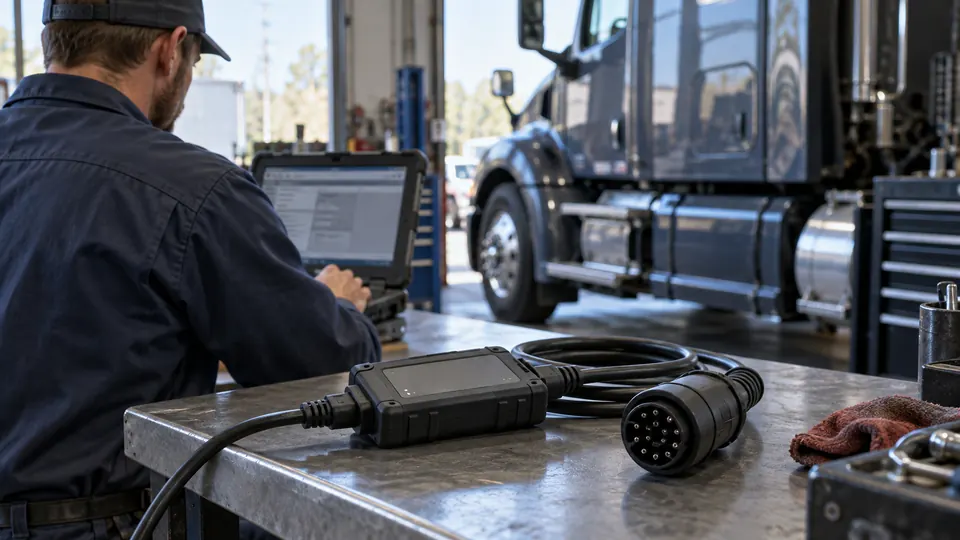
A J1939 diagnostic adapter can look like a simple plug until a scanner refuses to communicate, a 9-pin socket does not match the cable, or an OBD2 tool turns out to lack heavy-duty protocol support. The right purchase depends on more than connector shape. You need to match the adapter to the truck-side port, the scanner-side connector, and the communication protocols your diagnostic software can actually read.
The strongest option in this comparison is different from the small connector adapters. The Heavy Duty Truck Scanner for JPRO is an RP1210 interface kit with J1939 and J1708 connections, USB connectivity, compatible software support, and broader diagnostic functions listed for commercial vehicles. The smaller adapters are useful for linking compatible equipment, but they do not become standalone scanners simply because they provide a 16-pin OBD2 connection.
That distinction shapes the rankings below. Some picks focus on J1939-to-OBD2 connections, one adds J1708 support, another changes between J1939 connector types, and one provides a bare-wire termination for custom projects. Check the protocol, connector direction, and software requirements before ordering, because a physical fit does not guarantee access to every truck ECU or diagnostic function.
Quick Answer
- Best Overall: Heavy Duty Truck Scanner for JPRO, the most complete interface package for compatible PC-based commercial-vehicle diagnostics.
- Best Dual-Protocol Cable: Autel Original J1939 to OBD2 Adapter, with green 9-pin J1939, Type 1 and Type 2 compatibility claims, and a 6-pin J1708 connection.
- Best for Mixed Older and Newer Connections: Truck OBD 6Pin 9Pin J1708 J1939 Protocol Diagnostic Adapter Cable, which brings 6-pin and 9-pin truck connections to a 16-pin OBD2-style connector.
- Best for Custom Wiring: MEIRIYFA Type 2 J1939 Pigtail Cable, with nine color-coded bare wires for a project-specific connection.
Best J1939 Diagnostic Adapter Comparison Table
| Product | Interface Type | Protocol or Connector Support | Best For |
|---|---|---|---|
| Heavy Duty Truck Scanner for JPRO | RP1210 vehicle communication interface and kit | J1939, J1708, USB | PC-based fleet diagnostics |
| Autel Original J1939 to OBD2 Adapter | 2-in-1 adapter cable | J1939 Type 1, Type 2, J1708, 16-pin OBD2 | Mixed heavy-duty connector access |
| Truck OBD 6Pin 9Pin Diagnostic Adapter Cable | Multi-connector cable | J1939, J1708/J1587, 6-pin, 9-pin | Older and newer truck connections |
| AMHTDOL 9 Pin to 16 Pin OBD2 Adapter Cable | Adapter cable | Green Type 2 J1939 to 16-pin OBD2 | Compatible truck scan tools and ELD devices |
| lydesor J1939 9 Pin to OBD2 Adapter Cable | Adapter cable | Green Type 2 J1939 to 16-pin OBD2 | Simple truck-side connection |
| Autel 9-Pin J1939 Male to 16-Pin OBD2 Adapter | Compact adapter | 9-pin J1939 to 16-pin OBD2 | Space-limited installations |
| Type 2 Green 9-Pin J1939 to OBD2 J1962 Adapter | Compact connector adapter | Type 2 J1939 to 16-pin J1962 | ELD, GPS, and compatible scanners |
| FRCVESNG J1939 Type 2 to Type 1 Adapter | Connector-type adapter | Green Type 2 to black Type 1 J1939 | Matching different J1939 port styles |
| MEIRIYFA Type 2 J1939 Pigtail Cable | Bare-wire pigtail | 9-pin J1939 with nine open wires | Custom wiring and DIY interfaces |
The detailed reviews separate full diagnostic interfaces from physical adapters, then explain the connector and protocol limits that matter for each one.
1. Heavy Duty Truck Scanner for JPRO — Best Overall

This is the broadest diagnostic product here because it functions as a vehicle communication interface rather than a passive connector adapter. The listing describes RP1210 support, J1939 and J1708 connections, a USB cable, and compatibility with diagnostic software. That setup is aimed at a computer-based workflow, so it suits a repair operation or fleet environment where software provides the menus and diagnostic depth.
The listed functions include reading and clearing trouble codes, monitoring live vehicle data, and analyzing engine, transmission, ABS, and other electronic control modules. The product information also identifies DPF regeneration assistance when used with compatible applications. That wording matters. The interface does not automatically guarantee every function on every truck, and the software environment remains part of the purchase decision, but it offers far more diagnostic scope than a simple 9-pin-to-OBD2 cable.
Pros
- Supports J1939 and J1708 heavy-duty connections.
- Uses an RP1210 vehicle communication interface design.
- Lists DTC access, live data, and multiple vehicle systems.
- Includes J1939, J1708, and USB connection hardware.
- Lists DPF regeneration assistance with compatible applications.
Cons
- Requires compatible diagnostic software for its full function.
- Specific vehicle and ECU coverage is not fully detailed in the listing.
This is the right first choice for someone who needs an actual diagnostic bridge for compatible PC software, especially across commercial vehicles, buses, trailers, or construction equipment. It is excessive for a buyer who only needs to connect a small OBD2 device to one green 9-pin socket. Confirm the software, operating setup, and truck coverage before purchase, since the interface itself does not establish universal diagnostics.
To buy this product, click here.
2. Autel Original J1939 to OBD2 Adapter — Best Dual-Protocol Cable

A green 9-pin port is not the only heavy-duty connection a buyer may encounter. This 2-in-1 cable adds a 6-pin J1708 connection alongside the green Type 2 J1939 plug, while its other end provides a standard 16-pin OBD2 interface. The listing also identifies compatibility with a gray or black Type 1 J1939 port, giving this cable a wider connector role than a single-port adapter.
The cable measures about 41 centimeters according to the product information and uses thick 20 AWG wires with overmolded connectors. Those construction details are useful in a service bay where the cable may be plugged in and removed repeatedly. Still, the cable only provides the physical path. The scanner or software must support J1939 or J1708, and the product information specifically warns that it does not turn a truck’s diagnostic system into ordinary OBD2.
Pros
- Combines 9-pin J1939 and 6-pin J1708 connections.
- Lists support for Type 1 and Type 2 J1939 ports.
- Provides a 16-pin OBD2 interface for compatible equipment.
- Uses overmolded connectors and 20 AWG wires.
- Includes a 1-year warranty claim and 30-day replacement or refund policy.
Cons
- Does not provide scanning software or standalone diagnostic operation.
- Protocol and vehicle compatibility still depend on the connected device.
This is a strong fit for a workshop that needs one cable across several heavy-duty connector styles. It makes more sense than a basic green-port adapter if J1708 or older Type 1 connections are part of the workload. A single-truck owner with a confirmed Type 2 J1939 port can save space and complexity with a simpler cable.
To buy this product, click here.
3. Truck OBD 6Pin 9Pin J1708 J1939 Protocol Diagnostic Adapter Cable — Best for Mixed Connections

This cable is built around a practical two-connector problem. Its 6-pin and 9-pin truck plugs connect to a 16-pin OBD2 female end, allowing a compatible scanner with a 16-pin male connector to reach either of the listed heavy-duty ports. The product information identifies J1708, J1587, and J1939 data, along with power and ground connections found at the factory 9-pin arrangement.
That combination makes it useful for a mixed garage where older and newer trucks may sit side by side. The listing says the scanner must support J1708 or CAN/J1939 and have the correct 16-pin male plug. A cable cannot add missing protocol support, so the scanner’s specifications deserve the same attention as the cable’s pin arrangement.
Pros
- Provides both 6-pin and 9-pin heavy-duty connectors.
- Lists J1708, J1587, and J1939 data support.
- Connects to compatible 16-pin diagnostic scanners.
- Useful across truck, bus, and trailer applications listed by the seller.
- Helps bridge older and newer heavy-duty port styles.
Cons
- Requires a compatible 16-pin scanner with the required protocols.
- Exact vehicle and model-year coverage is not specified.
Choose this cable when connector variety matters more than compactness. It has a broader physical role than a single green 9-pin lead, though the extra plugs can be awkward in a tight cab. Buyers working with one known Type 2 port may prefer a smaller adapter.
To buy this product, click here.
4. AMHTDOL 9 Pin to 16 Pin OBD2 Adapter Cable for Heavy Duty Trucks — Best for Common Type 2 Connections

The AMHTDOL cable targets the familiar green Type 2 9-pin J1939 socket and presents a 16-pin OBD2 connection for a compatible scanner, ELD, GPS, or fleet device. The listing names 2015-and-newer Freightliner, Kenworth, and International applications, plus 2016-and-newer Volvo and Western Star trucks with Cummins engines. Those are listing claims, so exact communication still depends on the vehicle and connected device.
Its cable format gives the OBD2 connection some reach instead of forcing two bulky plugs together at the port. The product information describes high-strength PVC construction and a claimed service life of more than 3,000 uses. That may appeal to a shop drawer or fleet vehicle, although the cable remains an interface accessory rather than a diagnostic computer.
Pros
- Connects a green Type 2 9-pin J1939 port to 16-pin OBD2 equipment.
- Lists several Freightliner, Kenworth, International, Volvo, and Western Star applications.
- Suitable for compatible scanners, ELD devices, and GPS equipment.
- Uses PVC construction with corrosion and wear resistance claims.
- Cable format provides separation between the two connectors.
Cons
- Does not include a scanner or guarantee OBD2 tool protocol support.
- Listed truck compatibility does not establish coverage for every engine or ECU.
This is a sensible purchase for a confirmed green-port truck when the existing scan equipment has a 16-pin connection. It is less useful for Type 1 J1939, 6-pin J1708, or custom wiring jobs. Match the port color and shape before ordering, then verify that the scanner understands heavy-duty J1939 communication.
To buy this product, click here.
5. lydesor J1939 9 Pin to OBD2 Adapter Cable — Best for a Long Cable Layout

The lydesor takes the same basic route as other green-port cables, but its listing emphasizes a longer 16-pin lead and a quick connection for compatible diagnostic devices. That extra length can help when the truck port sits low behind a panel while the scanner needs to rest on a seat, work surface, or tool cart. The physical convenience is modest, yet it can make a cramped cab less irritating.
The product information lists compatibility with several newer truck applications, including Freightliner, Kenworth, International, Volvo, and Western Star examples paired with Cummins engines. It also describes ABS construction, flame resistance, and anti-interference features. None of those details replace protocol verification, and the cable does not supply code reading, live data, or service functions by itself.
Pros
- Converts a green Type 2 9-pin port to a 16-pin OBD2 interface.
- Long cable layout can make scanner placement easier.
- Lists use with truck GPS, ELD, and diagnostic devices.
- Uses molded ABS construction with flame-resistance claims.
- Provides a straightforward plug-in connection for compatible equipment.
Cons
- It is a cable, not a standalone scan tool.
- Exact protocol and ECU coverage are dependent on the connected device.
This option fits buyers who already own suitable 16-pin equipment and want a little more working room around the cab. It offers less connector flexibility than the dual-protocol cables above, so it should stay on the shortlist only after the truck-side port is confirmed.
To buy this product, click here.
6. Autel 9-Pin J1939 Male to 16-Pin OBD2 Adapter — Best Compact Adapter

Some truck cabs leave very little room around the diagnostic socket. This Autel adapter uses a compact, plug-style design rather than a separate cable, which can reduce loose wiring around an ELD, GPS tracker, or compatible scanner. The listing identifies a 9-pin J1939 male connector and a 16-pin OBD2 female port.
The product information specifically names Autel MaxiSYS MS909CV and MS908CV examples, while also telling buyers to confirm OBD2 protocol support. That is a useful boundary. The adapter creates the physical connection, but it does not make an incompatible tool communicate with a J1939 truck. A small adapter can be tidy and convenient, but its short form may provide less flexibility than a cable in awkward port locations.
Pros
- Compact adapter format saves space around the diagnostic port.
- Connects a 9-pin J1939 male port to a 16-pin OBD2 female port.
- Listed for ELD, fleet-tracking, and compatible diagnostic equipment.
- Product information gives specific Autel scanner examples.
- Includes a stated 1-year warranty and 30-day return or replacement policy.
Cons
- Short adapter design may be less convenient where access is recessed.
- Requires a scanner that supports the relevant heavy-duty protocol.
This compact unit is best for a confirmed port-and-tool pairing, especially where dangling cable loops are a nuisance. Pick a cable instead if the scanner needs to sit several inches away or if the diagnostic socket is difficult to reach without strain.
To buy this product, click here.
7. Type 2 Green 9-Pin J1939 to OBD2 J1962 Adapter — Best Simple Connector Adapter

This adapter has a narrow job and states it clearly: connect a Type 2 green 9-pin J1939 port to a female 16-pin J1962-style OBD2 connector. Its compact shape can suit an ELD tracker, GPS device, or scanner that already has the correct plug and communication capability. The strong overmold construction claim also points toward regular use around a truck cab.
There are no listed software functions, live-data features, or vehicle-system claims to confuse the purchase. That simplicity is useful, provided the buyer understands that a connector adapter does not create diagnostic coverage. If the connected tool was built for passenger-car OBD2 only, adding this adapter does not automatically give it heavy-duty J1939 access.
Pros
- Dedicated Type 2 green 9-pin to 16-pin J1962 connection.
- Compact form works well with ELD and GPS equipment.
- Strong overmold construction is listed.
- Simple plug-in design requires no separate cable assembly.
- Useful for compatible scanners and fleet-management devices.
Cons
- Limited to the listed Type 2 J1939 connector arrangement.
- Does not include diagnostic software or protocol capability.
Choose this product for a straightforward, space-conscious connection where the truck port and device are already known. It is a poor match for Type 1, 6-pin, or bare-wire applications, and buyers needing a longer reach should use a cable-style adapter instead.
To buy this product, click here.
8. FRCVESNG J1939 Type 2 to Type 1 Adapter — Best for Connector-Type Conversion

Not every J1939 port uses the same housing. This adapter addresses that physical mismatch by connecting a green Type 2 male plug to a black Type 1 female port. It does not route through an OBD2 connector, so its value is very specific: it helps compatible J1939 equipment reach a different J1939 connector style.
The overmolded body and compact plug-and-play format should be convenient in a tight service area. The listing says it suits SAE J1939 vehicles, trucks, and diagnostic equipment, but that statement concerns the protocol and connector family rather than universal truck coverage. Confirm which side of the existing equipment is male or female before ordering, since connector direction is the whole point here.
Pros
- Bridges green Type 2 and black Type 1 J1939 connector styles.
- Compact shape fits confined truck-cab spaces.
- Uses an overmolded design for the listed heavy-duty environment.
- Plug-and-play connection requires no tool-based setup.
- Useful with compatible J1939 vehicles and diagnostic equipment.
Cons
- Does not provide an OBD2 connection for a 16-pin scanner.
- Connector direction and J1939 compatibility must be checked carefully.
This is the specialist pick for a Type 1 versus Type 2 mismatch. It should not replace a J1939-to-OBD2 cable when the scanner uses a 16-pin connector. For the right port combination, though, it solves a frustrating physical problem with little extra bulk.
To buy this product, click here.
9. MEIRIYFA Type 2 J1939 Pigtail Cable — Best for Custom Wiring

A bare-wire pigtail is for a different kind of project. Instead of ending in an OBD2 socket, this 30-centimeter cable presents nine open wires, each identified by color in the listing. That arrangement gives a builder or technician room to terminate the cable for a custom device, test setup, or project-specific harness.
The cable uses a female Type 2 9-pin J1939 connector and lists flame-retardant PVC, molded construction, and anti-interference characteristics. Those details help with physical assembly, but the open end also creates responsibility. Pin assignments, grounds, power, and communication lines must be handled according to the connected equipment’s requirements. This is not the plug for someone hoping to connect an ordinary OBD2 scanner in seconds.
Pros
- Provides a Type 2 9-pin J1939 connector with open wires.
- Lists nine color-coded conductors for custom termination.
- Useful for DIY interfaces and project-specific wiring.
- Uses molded PVC construction with flame-retardant claims.
- Compact 30-centimeter length suits bench or harness work.
Cons
- Requires custom wiring and does not end in a standard OBD2 socket.
- Not a plug-and-play choice for ordinary scan-tool connections.
This belongs in a diagnostic parts drawer for custom work, fleet electronics, or a device that needs direct J1939 wiring. Skip it if your goal is a ready-made connection between a truck and a 16-pin scanner. The open conductors are the advantage, but they are also the part that demands the most care.
To buy this product, click here.
Buying Guide
Start With the Product Type
The biggest fork in the road is choosing between a diagnostic interface and a physical adapter. The JPRO replacement kit is a communication interface intended to work with compatible software and lists code access, live data, multiple control modules, and DPF regeneration assistance. The other products primarily provide a connection path. If your existing scanner already supports the required heavy-duty protocols, a cable may be enough. If you need diagnostic software and broader system access, an adapter alone will leave you staring at a connector with nowhere to go.
Match the Truck-Side Connector
Green Type 2 9-pin J1939, black or gray Type 1 9-pin J1939, and 6-pin J1708 connections are different physical arrangements. A green-port adapter will not solve a 6-pin problem, and a Type 2-to-Type 1 adapter does not provide a 16-pin OBD2 output. Look at the truck’s actual socket, then compare the male and female ends shown in the product description. Connector gender matters just as much as connector count.
Check Protocol Support Separately
J1939, J1708, and J1587 describe communication standards, while 6-pin, 9-pin, and 16-pin describe physical connections. The two groups work together, but one does not prove the other. A 16-pin scanner must still support the heavy-duty protocol carried through the adapter. Product 10 makes this requirement explicit, and the Autel dual-protocol cable gives the widest protocol-related connector arrangement among the cable options here.
Do Not Treat an Adapter as a Scanner
A passive cable cannot read codes, display live data, run an active test, or start a service procedure on its own. It may allow a compatible device to reach the vehicle, but the scanner and software determine what happens next. This distinction is especially important with listings that use phrases such as “diagnostic adapter.” Read the product type, included hardware, and software language carefully.
Check Exact Vehicle and Engine Compatibility
Several listings name truck brands or model-year ranges, including Freightliner, Kenworth, International, Volvo, and Western Star applications. Those claims should be treated as a starting point rather than a promise of complete coverage. Truck model, engine, ECU, protocol, and requested function can all affect communication. If you need access to a particular engine controller, ABS system, transmission module, or aftertreatment function, verify that the connected scanner supports it.
Think About Cable Layout and Working Space
A compact adapter keeps a cab tidy, while a cable gives the scanner more room to sit away from a recessed port. A dual-connector cable may be worth the extra bulk if a shop handles older 6-pin and newer 9-pin trucks. For custom equipment, a bare-wire pigtail offers flexibility that a finished OBD2 cable cannot. The best physical format depends on how the tool will be used, not on the adapter’s feature count.
Best J1939 Diagnostic Adapter FAQ
What does a J1939 diagnostic adapter do?
A J1939 diagnostic adapter provides a physical connection between a truck’s J1939 port and compatible diagnostic equipment. Some products use a 9-pin J1939 connector and a 16-pin OBD2-style socket. The adapter does not automatically add scanner functions or guarantee that the connected device can communicate with every truck system.
Is a J1939-to-OBD2 adapter the same as a protocol converter?
No. Many products in this category are physical connector adapters or cables. They can route the connection between different plug styles, but they do not necessarily convert a truck’s communication system into passenger-car OBD2. The scanner must support the relevant heavy-duty protocol.
Can a regular OBD2 scanner diagnose a heavy-duty truck with an adapter?
Only when the scanner specifically supports the truck’s communication protocol and the required vehicle application. A 16-pin plug by itself proves very little. Check for J1939, J1708, or J1587 support as appropriate, then confirm the scanner’s vehicle and system coverage.
What is the difference between a 6-pin and 9-pin truck connector?
They are different heavy-duty connector arrangements associated with different vehicle communication environments. The products in this comparison identify 6-pin J1708 and 9-pin J1939 connections, although exact vehicle use depends on the truck and equipment. A dual-connector cable can be useful if both styles appear in the fleet.
Does a J1939 adapter provide live data or code clearing?
The adapter itself generally provides the connection only. Live data and code clearing come from the compatible scanner and software. The JPRO interface kit lists those diagnostic functions when used with compatible applications, while the smaller cable and connector products do not list standalone diagnostic operation.
Can these adapters perform DPF regeneration?
A passive adapter cannot perform a regeneration. The Heavy Duty Truck Scanner for JPRO lists DPF regeneration assistance when used with compatible diagnostic applications. Actual availability can depend on the truck, engine, ECU, software, and supported service function, so do not assume that every J1939 cable enables regeneration.
Should I buy a cable or a compact adapter?
Choose a cable if the diagnostic port is recessed, the scanner needs to sit farther away, or you need access to multiple connector types. A compact adapter works well where space is tight and the port and scanner already match. Confirm connector gender and protocol support before choosing either format.
Final Verdict
The Heavy Duty Truck Scanner for JPRO is the strongest overall choice because it moves beyond connector matching and serves as an RP1210 communication interface for compatible PC-based truck diagnostics. Its listed J1939 and J1708 connections, USB cable, live-data access, multiple control-module coverage, and DPF regeneration assistance give it a much broader role than a passive adapter. The trade-off is setup complexity. You need compatible diagnostic software, and specific vehicle functions remain dependent on the truck and application.
For a physical adapter, the Autel dual-protocol cable is the most useful alternative because it combines Type 1 and Type 2 J1939 claims with a 6-pin J1708 connection. The 6-pin/9-pin truck cable is another practical pick for mixed fleets, while the AMHTDOL and lydesor cables suit a confirmed green Type 2 port. Before buying, verify the truck-side connector, scanner-side plug, protocol support, and required diagnostic function. A well-built cable can open the correct path, but the connected scanner and software determine what you can actually see and do.

- Caleb
Caleb writes about heavy-duty truck scanners, diagnostic tools, vehicle compatibility, and related technologies for Best Truck Scanners. His work focuses on making product specifications and diagnostic features easier to understand and compare.
- Best J1939 Diagnostic Adapter: 9 Picks in 2026 November 14, 2026
- 6-Pin vs 9-Pin Truck Diagnostic Connector: Key Differences Explained November 12, 2026
- Best Scanner for Cummins X15: 9 Picks in 2026 November 10, 2026
- Best Scanner for PACCAR MX-13: 9 Picks in 2026 November 8, 2026
- SPN vs FMI: Understanding Heavy-Duty Diagnostic Fault Codes November 6, 2026