Best Scanner for PACCAR MX-13: 9 Picks in 2026

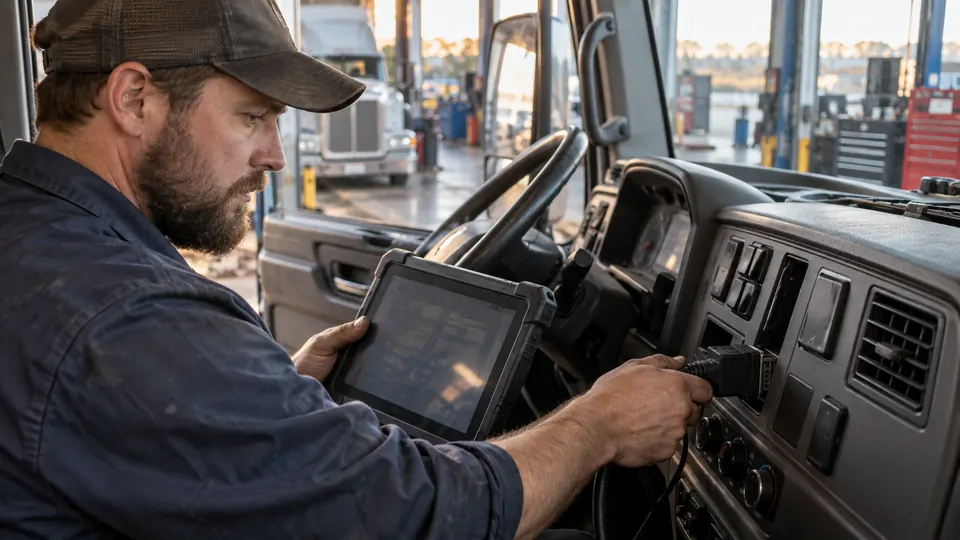
A PACCAR MX-13 scanner has to be judged at several levels at once. The product needs a suitable heavy-duty connection, documented PACCAR coverage, and diagnostic functions that go beyond a basic passenger-car code reader. A 9-pin or 16-pin connector can solve the physical connection problem, but it does not by itself prove that the scanner can access every ECU or perform every service procedure on a particular truck.
The most meaningful difference in this group is DPF capability. Reading DPF data or clearing related codes is a different task from initiating a supported regeneration, so buyers should separate those functions before ordering. The ANCEL HD110 is the strongest match for this search because its listing specifically identifies PACCAR engines, including the MX-13, and describes supported DPF regeneration alongside engine, transmission, DPF, ABS, and fuel diagnostics.
The other choices take different routes. The LAUNCH Creader HD V2 offers broad protocol and connector support with a more traditional plug-in design, while the FOXWELL HD301 emphasizes full-system access, live data, and wide heavy-duty coverage but explicitly does not support DPF regeneration. The comparison below focuses on what each tool is documented to do, where its coverage is clearer, and where caution is needed.
Quick Answer
Best overall: The ANCEL HD110 is the closest fit for a PACCAR MX-13 buyer who wants documented PACCAR and MX-13 coverage plus supported DPF regeneration.
Best connector flexibility: The LAUNCH Creader HD V2 includes 6-pin, 9-pin, and 16-pin connections and supports several heavy-duty protocols, although the supplied information does not identify MX-13 coverage as specifically as the ANCEL listing.
Best for broader system access: The FOXWELL HD301 lists engine, transmission, ABS, SRS, chassis, and body-control diagnostics, making it useful for buyers who value broader system scanning more than DPF regeneration.
Best Scanner for PACCAR MX-13 Comparison Table
| Product | Relevant PACCAR Coverage | Diagnostic Depth | Key Function or Connection |
|---|---|---|---|
| ANCEL HD110 Heavy Duty Truck Scanner | PACCAR, including MX-13 | Engine, transmission, DPF, ABS, fuel, live data, freeze frame | Supported DPF regeneration, 9-pin and 16-pin adapters |
| LAUNCH Creader HD V2 | PACCAR listed | Fault codes, live data, graphs, voltage, printing | 6-pin, 9-pin, and 16-pin connectors |
| FOXWELL HD301 | PACCAR listed | Engine, transmission, ABS, SRS, chassis, body control | J1939, J1708, J1587, OBD-II, no DPF regeneration |
The detailed reviews explain how these tools differ for PACCAR MX-13 diagnostics and which limitations deserve attention before purchase.
1. ANCEL HD110 Heavy Duty Truck Scanner — Best Overall

The ANCEL HD110 has the clearest match for a PACCAR MX-13 search because the product information names the engine directly. Its stated coverage includes PACCAR PX-7, PX-9, MX-11, and MX-13 engines, along with Detroit DD13, DD15, and DD16 applications. That specificity matters more than a long list of unrelated truck brands. A scanner that says “heavy duty” in the title is a broad promise, while a listing that identifies MX-13 coverage gives the buyer a more useful starting point.
Its strongest feature is supported DPF regeneration. The listing describes the ability to perform supported DPF regeneration, then pairs that function with engine, transmission, DPF, ABS, and fuel diagnostics. It also lists fault-code reading and clearing, live data, freeze-frame data, vehicle information, and DTC lookup. Bluetooth and Wi-Fi connectivity add flexibility for use around a truck, shop, or fleet yard, while the included 9-pin and 16-pin adapters cover the connections identified in the product information. Exact function availability can still depend on the truck configuration and supported system, but this is the most direct fit in the comparison.
Pros
- Product information specifically lists PACCAR MX-13 coverage.
- Supported DPF regeneration is identified as a core function.
- Accesses listed engine, transmission, DPF, ABS, and fuel systems.
- Includes 9-pin and 16-pin adapters for listed heavy-duty applications.
- Includes live data, freeze-frame data, code clearing, and DTC lookup.
Cons
- Specific regeneration and system functions may depend on the supported truck configuration.
- The listing does not spell out every MX-13 model year, ECU, or service procedure.
Choose the HD110 if DPF service is part of the reason you are shopping for a scanner and the truck uses a PACCAR MX-13 application identified by the listing. It is also a sensible fit for someone who wants more than engine-code access, since the stated coverage reaches transmission, ABS, fuel, and DPF systems. Buyers who only need broad code reading may find its more specialized feature set unnecessary, while anyone expecting universal MX-13 access across every model year should verify the exact truck and requested function before purchase.
The main trade-off is the difference between documented capability and guaranteed access to every procedure. The listing supports a strong buying case, but it does not provide a complete ECU-by-ECU compatibility chart. For the specific mix of PACCAR relevance and DPF capability, though, the HD110 is the strongest first choice.
To buy this product, click here.
2. LAUNCH Creader HD V2 — Best for Connector Flexibility

The LAUNCH Creader HD V2 takes a broad, practical approach to heavy-duty scanning. Its product information lists PACCAR among the supported truck brands and identifies compatibility with J1708, J1939, J1979, J1850, PWM, and VPW protocols. It also includes 6-pin, 9-pin, and 16-pin connectors, which gives it a wider physical connection package than the ANCEL listing. For a truck owner dealing with different vehicles or older and newer diagnostic ports, that flexibility can be useful.
Its functions center on everyday fault finding rather than a stated regeneration procedure. The scanner reads and clears trouble codes, displays live data, provides graphical data views, checks voltage, prints data, and offers I/M readiness information. Automatic protocol search is intended to simplify initial connection, while manual selection gives a more targeted route for users who already know the system they want to access. The available product information identifies PACCAR broadly, but it does not name the MX-13 as specifically as the ANCEL HD110 listing, so the exact engine and function should be confirmed before ordering.
Pros
- PACCAR is included in the listed heavy-duty vehicle coverage.
- Includes 6-pin, 9-pin, and 16-pin connectors.
- Supports listed J1708, J1939, J1979, J1850, PWM, and VPW protocols.
- Offers code reading, code clearing, live data, graphing, and voltage detection.
- Provides automatic protocol search and manual system selection.
Cons
- The supplied information does not specifically identify PACCAR MX-13 coverage by engine model.
- DPF regeneration is not identified as a supported function.
This model suits buyers who place a high value on connector coverage and routine diagnostics across more than one heavy-duty vehicle. The 6-pin, 9-pin, and 16-pin package reduces the need to buy a separate connector for the applications named in the listing, and the graphing and printing functions can make diagnostic information easier to review later. It may be especially appealing for a mixed garage where the scanner needs to handle more than one protocol family.
For an MX-13 owner specifically seeking regeneration, the HD110 is the clearer match. The Creader HD V2 is better viewed as a broad heavy-duty code and live-data scanner whose PACCAR support is stated at the brand level. That distinction does not make it unsuitable, but it does make compatibility checking more important before relying on it for a particular MX-13 service task.
To buy this product, click here.
3. FOXWELL HD301 — Best for Broader System Scanning

The FOXWELL HD301 is aimed at buyers who want a wider system scan rather than a tool focused primarily on a single engine function. Its product information lists PACCAR along with Cummins, Detroit, Caterpillar, Freightliner, Kenworth, Peterbilt, International, and Mack. It also identifies access to engine, transmission, ABS, SRS, chassis, and body-control modules. That breadth can be useful when a warning light does not point neatly to the engine, since the fault may sit elsewhere in the truck’s electronic systems.
The HD301 supports J1939, J1708, J1587, and OBD-II, with a built-in 16-pin connector and included 6-pin and 9-pin adapters. Its live-data coverage includes examples such as coolant temperature, fuel pressure, and engine RPM, and a built-in DTC lookup library can provide code definitions on the device. The major limitation is clear: the product information says the scanner does not support DPF regeneration. That makes it a weaker fit for an MX-13 owner whose priority is aftertreatment service, but a potentially better match for broad code access and system-level troubleshooting.
Pros
- PACCAR is included in the listed heavy-duty brand coverage.
- Lists engine, transmission, ABS, SRS, chassis, and body-control diagnostics.
- Supports J1939, J1708, J1587, and OBD-II protocols.
- Includes 6-pin and 9-pin adapters alongside a built-in 16-pin connector.
- Provides live data and on-device DTC lookup.
Cons
- The product information explicitly states that DPF regeneration is not supported.
- The listing does not identify PACCAR MX-13 coverage at the same engine-specific level as the ANCEL HD110.
The HD301 makes sense for someone who wants one scanner to examine several truck systems and who understands that broad system access is different from an aftertreatment service function. A transmission, ABS, chassis, or body-control fault may be easier to investigate with this model’s stated coverage than with a basic engine-only reader. Its no-subscription positioning and plug-in operation also keep the setup straightforward.
Skip it if forced or supported DPF regeneration is the reason for the purchase. The explicit limitation is too important to overlook, particularly for an MX-13 truck showing an aftertreatment warning. For broader electronic-system diagnostics, however, it offers a more expansive stated coverage profile than a simple code reader.
To buy this product, click here.
Buying Guide
Confirm MX-13 Coverage at the Engine Level
PACCAR branding alone is a starting point, not a complete compatibility guarantee. The ANCEL HD110 listing specifically names the MX-13, while the LAUNCH and FOXWELL listings identify PACCAR more broadly. That difference matters if the scanner will be purchased for one particular truck rather than a mixed group of vehicles.
Before ordering, match the scanner to the truck’s model year, connector, engine configuration, and intended diagnostic task. A product can support a brand while still offering different functions across model years or electronic systems.
Separate DPF Diagnostics From Regeneration
DPF access can mean several different things. A scanner may read DPF-related codes, display live data, clear faults, reset a value, or initiate a regeneration. Those functions are not interchangeable.
The ANCEL HD110 is the only product here whose listing specifically describes supported DPF regeneration. The FOXWELL HD301 explicitly does not support DPF regeneration, despite offering broad system diagnostics. If regeneration is central to the purchase, that distinction should outweigh secondary features such as graphing or broader passenger-vehicle coverage.
Understand What the Connectors Prove
A 6-pin, 9-pin, or 16-pin connector determines how the tool connects physically. It does not independently prove that every protocol, ECU, or service function is available. The LAUNCH Creader HD V2 lists all three connector types, while the ANCEL HD110 lists 9-pin and 16-pin adapters. The FOXWELL HD301 lists a built-in 16-pin connection plus 6-pin and 9-pin adapters.
Connector coverage is valuable, particularly for mixed equipment, but it should be read alongside protocol and system coverage. Physical fit and diagnostic depth are related purchasing questions, not the same question.
Look at System Access, Not Only Engine Codes
Engine code reading is useful for a check-engine warning, but a truck can also store faults in the transmission, ABS, fuel, chassis, or body-control systems. The ANCEL HD110 lists engine, transmission, DPF, ABS, and fuel access. The FOXWELL HD301 lists an even wider group that includes SRS, chassis, and body control. The LAUNCH Creader HD V2 focuses on codes, live data, graphing, voltage, and related functions.
Pick the coverage that matches the warning or maintenance task you expect to handle. A broader system list is helpful only when the scanner actually supports the systems on the specific truck.
Check Updates and Ongoing Costs
Both the ANCEL HD110 and FOXWELL HD301 listings describe free lifetime software updates without recurring subscription fees. The LAUNCH Creader HD V2 also lists lifetime free software upgrades. These claims can improve long-term ownership value, but “lifetime” should be read within the product’s supported vehicle and software coverage.
The supplied information does not explain every future software module, vehicle expansion, or support condition. Confirm the current update policy and supported function before purchase, especially if the scanner will be used across several trucks.
Do Not Treat Wireless Features as Diagnostic Coverage
The ANCEL HD110 lists Bluetooth and Wi-Fi connectivity, which can make the physical setup more flexible. That convenience does not automatically provide deeper access to a PACCAR ECU. The diagnostic functions still depend on the scanner’s supported software, protocol, system, and vehicle configuration.
A wired scanner such as the LAUNCH or FOXWELL can be preferable for buyers who want a direct plug-in workflow, while the ANCEL’s wireless options may suit mobile use. The better connection style depends on how the tool will be used, not on wireless capability alone.
Best Scanner for PACCAR MX-13 FAQ
What Is the Best Scanner for a PACCAR MX-13?
The ANCEL HD110 is the strongest match among these products because its listing specifically identifies PACCAR MX-13 coverage and supported DPF regeneration. It also lists engine, transmission, DPF, ABS, and fuel diagnostics, along with live data and freeze-frame information.
Can the ANCEL HD110 Perform DPF Regeneration on Every MX-13 Truck?
The listing describes supported DPF regeneration for compatible applications, but it does not identify every MX-13 model year, ECU, or configuration. Confirm the exact truck and required procedure before purchase. Scanner support for one MX-13 application should not be treated as universal access to every MX-13 system.
Does the FOXWELL HD301 Support DPF Regen?
No. The supplied product information explicitly states that the FOXWELL HD301 does not support DPF regeneration. It can still provide broad truck diagnostics, including listed engine, transmission, ABS, SRS, chassis, and body-control access.
Is J1939 Support Enough to Confirm PACCAR MX-13 Compatibility?
No. J1939 is a communication protocol used in heavy-duty applications, but protocol support alone does not prove complete PACCAR coverage, access to every ECU, or availability of service functions. The truck, engine, software, connector, and requested function all matter.
Which Scanner Includes the Most Connector Options?
The LAUNCH Creader HD V2 lists 6-pin, 9-pin, and 16-pin connectors. The FOXWELL HD301 lists a built-in 16-pin connector plus 6-pin and 9-pin adapters. The ANCEL HD110 listing identifies 9-pin and 16-pin adapters.
Can These Scanners Diagnose the Transmission and ABS?
The ANCEL HD110 listing identifies transmission and ABS diagnostics, and the FOXWELL HD301 lists transmission and ABS among its supported systems. The LAUNCH listing emphasizes fault codes, live data, graphing, voltage detection, and protocol support, but it does not specify the same system list in the supplied information. Actual access can depend on the truck configuration.
Are Lifetime Updates the Same as Guaranteed Future Compatibility?
No. Lifetime updates can help keep supported software current, but they do not establish that every future truck, ECU, or service procedure will be covered. The listings do not define every boundary of their update policies, so verify the current coverage for the intended MX-13 application.
Should I Buy a Passenger-Car OBD2 Scanner for an MX-13?
A passenger-car OBD2 scanner is generally a poor match for a heavy-duty PACCAR MX-13 search unless its heavy-duty coverage is clearly documented. The OBDLink MX+ listing focuses on passenger-vehicle brands and apps such as FORScan, Torque, BimmerCode, and Carista. It should not be treated as equivalent to the heavy-duty scanners reviewed here.
Final Verdict
The ANCEL HD110 is the strongest overall choice for a PACCAR MX-13 buyer who wants the closest documented match between engine coverage and diagnostic function. Its listing names the MX-13 directly, includes 9-pin and 16-pin adapters, and describes supported DPF regeneration alongside engine, transmission, DPF, ABS, and fuel diagnostics. That combination gives it a meaningful advantage over tools that mention PACCAR only at the brand level or stop at code and live-data access.
The LAUNCH Creader HD V2 is the better alternative for broad connector coverage and routine heavy-duty scanning, while the FOXWELL HD301 is more appealing for wider system access when DPF regeneration is not required. Before buying, match the tool to the truck’s model year, connector, ECU, and exact service task. A scanner can have the right plug and still lack the needed function, so the most reliable purchase is the one whose documented coverage lines up with the work you actually need to perform.

- Caleb
Caleb writes about heavy-duty truck scanners, diagnostic tools, vehicle compatibility, and related technologies for Best Truck Scanners. His work focuses on making product specifications and diagnostic features easier to understand and compare.
- Best J1939 Diagnostic Adapter: 9 Picks in 2026 November 14, 2026
- 6-Pin vs 9-Pin Truck Diagnostic Connector: Key Differences Explained November 12, 2026
- Best Scanner for Cummins X15: 9 Picks in 2026 November 10, 2026
- Best Scanner for PACCAR MX-13: 9 Picks in 2026 November 8, 2026
- SPN vs FMI: Understanding Heavy-Duty Diagnostic Fault Codes November 6, 2026